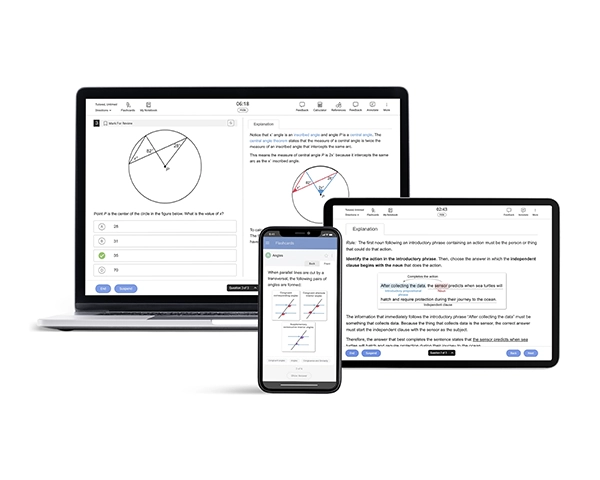
In this article, we have put together a complete SAT® test day checklist, including key SAT test day requirements and the acceptable photo ID you will need to bring, plus a quick refresher on SAT exam format and test-day logistics.
SAT Test Day Checklist
Before you head out to your SAT test center, use this SAT test day checklist to make sure you have everything you need.
- A fully charged approved testing device with BluebookTM installed
- A printout of your updated admission ticket.
- An acceptable Photo ID.
- Pencils/pens for scratch work.
- If your testing device is unable to sustain a charge for 3 hours, make sure to bring a portable charger
- A calculator approved as per the SAT Calculator Policy.
- Optional: Epinephrine auto-injectors, such as EpiPens, if needed. Students may carry them in a clear bag without needing accommodation and keep them under their desks during the test. Please contact the “Students with Disabilities Services” to learn about the policies on different medical devices and medications allowed in the test center.
Additionally, you are allowed to carry the following things on your test day:
- A watch with a silent alarm
- An alternate testing device
- A bag to carry your stuff
- A snack and a water bottle
Before the day of your SAT test, sign into your College Board® account to ensure that there are no changes to your test center. You can enter the test center only with an up-to-date printout of the admission ticket.
You must note that the College Board has listed a few things that are prohibited at the test center, and violations may result in score cancellation. Review the official test-day rules in your College Board account before you arrive at the test center.
ID Requirements for the Digital SAT
According to the SAT policy, carrying a valid photo ID on test day is mandatory. In addition to the admission ticket, your photo ID will be used to confirm your identity and registration at the test center.
Acceptable IDs
- Driving License or Non-driver’s ID issued by the government
- Official student ID card received from your current school
- Passport or US Global Entry Identification Card issued by the government
- Military or National Identification Card issued by the government
- SAT Student ID Form (prepared by your current school or by a notary in case you are homeschooled)
Unacceptable IDs
Identity documents that do not meet the SAT test day requirements mentioned above are unacceptable. You need to keep a few additional things about IDs in mind. Check the list below for those:
- Documents that are torn, worn, scarred, or damaged in any way
- E-documents shown on a device
- Documents that appear digitally altered or tampered
- Documents bearing statements that they are not valid as identification
- Credit or debit cards (even those with a photograph)
- Birth certificate
- Social security card
- ID card of employment
- Temporary ID card of any type
- Missing Child (“ChildFind”) ID card
Student ID Forms are not valid for the SAT if you are 21 or older. The only form of ID accepted in such a case is an official driving license or a passport issued by the government that meets the requirements stated above.
If You Don’t Have an Acceptable ID
If you do not have an acceptable ID for the SAT, the Student ID Form may be used. If you are homeschooled, this form must be prepared and authenticated by your current school or a notary. You must attach your current photo to the form before getting it notarized. The Student ID Form is only considered if you are under 21 years of age and taking the test in the U.S. Any items that fall outside standard test-day rules are typically handled through SAT test accommodations and policies, which outlines what is permitted in the room and what requires prior approval.
Device Requirements for the Digital SAT
For the digital SAT, your testing device must meet College Board requirements and have Bluebook installed so you can access and complete the exam. Since you will test digitally, it is a good idea to confirm your device setup well before test day to avoid last-minute issues. To feel more prepared before test day, you can build a structured plan with the SAT Course and reinforce key concepts using SAT Books.
Approved Testing Devices
Bring a device that is approved for Digital SAT testing and can run Bluebook smoothly. Your device should also be fully charged before you arrive at the test center.
If you want to build comfort with digital testing, you can practice with realistic question sets using the SAT QBank or take a full-length SAT Practice Test.
Prohibited Devices / Devices NOT Allowed
The College Board prohibits certain devices and electronics at the test center. Bringing a prohibited device, or using unapproved technology during testing, can lead to testing irregularities and score cancellation.
To avoid issues, review the rules on what is allowed and what is not allowed before test day in the Bluebook app and your College Board account, including any test-day instructions listed with your registration.
If You Don’t Have an Approved Device
If you do not have an approved device for the digital SAT, try to arrange one well before test day. In many cases, schools or test centers may be able to provide a loaner device, but availability can vary.
If you think you will need support or special arrangements, review the steps and documentation requirements in your College Board account well in advance of test day.
What Things To Bring on SAT Test Day: Frequently Asked Questions (FAQs)
How do I print my SAT admission ticket?
Do I need to print my admission ticket, or is it only in Bluebook?
Can I use my own laptop or iPad for the digital SAT?
Can I bring my phone if it stays in my bag?
Are medical items like inhalers or EpiPens allowed?
What should I bring if I have testing accommodations?
Is the checklist different for SAT School Day vs. weekend SAT?
What should I pack the night before the Digital SAT?
References
- What to Bring on SAT Test Day. (2025). SAT Suite of Assessments. College Board. Retrieved from https://satsuite.collegeboard.org/sat/what-to-bring-do/what-to-bring
- ID Requirements. (2025). satsuite.collegeboard.org. Retrieved from https://satsuite.collegeboard.org/sat/what-to-bring-do/id-requirements
- Approved Testing Devices. (2025). bluebook.collegeboard.org. Retrieved from https://bluebook.collegeboard.org/students/prepare-your-device/approved-devices
- SAT Calculator Policy. (2025). satsuite.collegeboard.org. Retrieved from https://satsuite.collegeboard.org/sat/what-to-bring-do/calculator-policy
- SAT Device Lending. (2025). satsuite.collegeboard.org. Retrieved from https://satsuite.collegeboard.org/sat/device-lending